Elevate Your Concept Art with 3D Tools
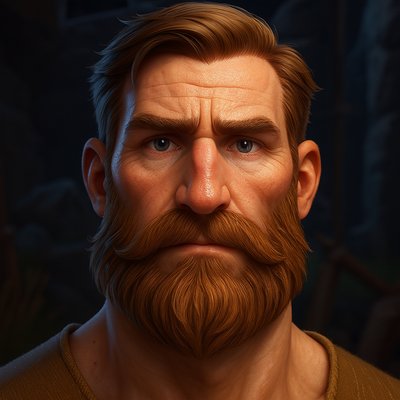
Unlock the power of 3D modeling in your concept art workflow to enhance design accuracy, improve perspective, and maximize your artistic efficiency!
Table of Contents
In today’s fast-paced game development landscape, the role of concept art has evolved beyond traditional methods. Artists are expected to generate stunning visuals that not only capture imagination but also serve practical purposes in game design. One of the most effective ways to bridge the gap between artistic vision and functional design is by integrating 3D tools into the concept art process. In this article, we will explore the advantages that 3D modeling offers, share insights from seasoned professionals, and provide actionable tips to help you embrace this dynamic fusion of art and technology.
1. Why 3D Integration is Essential in Concept Art
As a concept artist, you may often find yourself caught between illustrating beautiful designs and ensuring that they are viable for production. This is where the magic of 3D comes into play. The primary benefit of using 3D tools lies in their ability to enhance accuracy and depth in your artwork. By allowing you to visualize models from multiple angles, 3D software can assist you in creating complex scenes while maintaining a strong sense of perspective.
Imagine designing a character or an environment without the limitations imposed by traditional 2D sketches. With 3D tools, you can:
• Visualize Depth: Generate height, width, and depth in your designs, rather than relying on line drawings alone.
• Experiment with Composition: Easily rearrange elements in your scene to find the most compelling layout.
• Enhance Texture and Detail: Add intricate details that would be challenging to convey in a flat illustration.
By integrating 3D tools into your workflow, you’re opening up a new world of creative possibilities that can elevate your concept art from good to extraordinary.
2. Getting Started with 3D Tools
Now that you know why 3D integration is crucial, let’s explore how to effectively utilize these tools in your creative process. We'll go over some popular software options and strategies you can adopt to make 3D modeling a seamless part of your artistic routine.
2.1 Selecting the Right 3D Software
Several 3D software packages cater to different needs and skill levels. Here are some popular choices worth considering:
- Blender: A free, open-source tool that offers a comprehensive suite of 3D modeling and animation features.
- Maya: A professional-grade software that excels in character modeling and animation, widely used in the industry.
- ZBrush: Grassroots for fine details and sculpting, perfect for organic shapes and intricate designs.
- Modo: Known for its intuitive interface and powerful modeling capabilities, offering a balance between ease of use and advanced features.
TIP: Start with Blender if you’re new to 3D modeling since it’s free and boasts extensive tutorial resources.
2.2 Basic Techniques for Concept Artists
Once you’ve selected your software, familiarize yourself with some essential techniques to enhance your concept art:
-
Building Basic Shapes: Begin by creating simple geometric shapes. This practice will help you understand the fundamentals of 3D modeling, such as scaling and transformation.
-
Experiment with Lighting: The position and intensity of lights in your 3D scene can dramatically affect the mood. Use various light sources to see how shadows interact with your models.
-
Texturing Models: Use reference photos to create textures that add realism to your 3D models. Learn to apply these beforehand to enhance your renderings.
-
Camera Angles and Composition: Experiment with different camera angles to explore perspectives. This practice allows you to choose the best view for your concept art later on.
You can practice these techniques to develop a deeper understanding of 3D modeling principles and build confidence in using the software.
3. Combining 3D and 2D Art Techniques
While 3D tools offer myriad benefits, remember that they are a supplement to your existing skills, rather than a replacement. Here’s how you can combine both approaches for maximum impact.
3.1 Incorporating Reference Images
One practical way to seamlessly blend 3D and 2D techniques is to create reference images based on your 3D models. By rendering high-quality images of your 3D work, you can use them as a foundation for further detailing and painting in your favorite 2D software like Photoshop.
-
Importing into Photoshop: You can take your 3D render and use it as a base layer in Photoshop. Add depth, lighting, and texture effects to achieve the desired artistic style.
-
Overpainting: On top of your 3D reference layer, utilize your traditional painting skills to add artistic flair, refine details, and enhance emotional engagement in the artwork.
3.2 Layered Process
Consider adopting a layered approach to art creation. Start with a rough 3D base, then refine your artwork layer-by-layer using 2D techniques. This will give you control over shapes and textures while allowing you to maintain artistic integrity.
NOTE: Striking the right balance between 3D and 2D techniques is key. Always prioritize design elements that serve the narrative and gameplay.
4. Real-World Applications and Case Studies
Integrating 3D tools into your workflow is not just theoretical; many professionals in the industry have successfully done it. Let's draw inspiration from some real-world examples:
4.1 Successful Case Studies
-
Naughty Dog: Known for titles like "The Last of Us," this studio employs both 3D and 2D techniques to enhance the quality of its visuals. Artists use initial 3D blockouts before painting over these models, ensuring they maintain accurate proportions and perspectives.
-
Infinity Ward: The studio behind “Call of Duty” has effectively combined concept art techniques and 3D modeling to create some of the most immersive game environments. Utilizing 3D renders allows them to visualize scenes in dynamic ways and make quick adjustments before finalizing their designs.
IMPORTANT!: Always keep in mind the pipeline of your project when utilizing 3D tools. Understand how your changes may affect the workflow of subsequent departments!
5. Overcoming Challenges in 3D-Based Art
Transitioning into the realm of 3D modeling can present unique challenges. Here are some strategies for overcoming common roadblocks:
5.1 Learning Curve
Switching from 2D to 3D can be daunting. To ease this, engage with online tutorials from platforms such as Udemy or Skillshare. Many of these platforms offer tailored courses specifically for artists.
5.2 Software Limitations
Every 3D software has constraints and can feel overwhelming at first. Start small by focusing on one main function at a time before moving on to more advanced features.
Troubleshooting Common Issues:
• Software Crashes: Ensure your hardware meets the minimum requirements for your software.
• Model Inaccuracy: Always check your proportions and reference images for accuracy.
• Lack of Inspiration: Follow artists on social media or join online forums to find inspiration and share ideas.
By proactively addressing these challenges, you can establish a smoother transition into integrating 3D tools into your creative process.
6. Conclusion
The integration of 3D modeling in concept art has revolutionized how artists create, providing new depths of detail and versatility. By mastering these tools and maintaining your traditional artistic foundations, you can elevate your work and meet the demands of contemporary game design.
So, let’s get started! Embrace 3D modeling as an essential part of your toolkit, and watch your artistic capabilities soar. Throughout your journey, remember to stay curious, keep experimenting, and most importantly—have fun! If you have any questions or want to share your own experiences, feel free to reach out. Happy creating!
Final Tip: If you want to learn more about this subject, I recommend This Amazing Talk HERE, that I used as the main reference for this blog post.
Table of Contents
Recent Posts
Dynamic Difficulty: Creating Versatile Game Experiences Through Level Design
Explore how dynamic difficulty in game design can engage players of all skill levels by offering them varied pathways, challenges, and rewards.
Mastering Game Camera Design: Challenges and Solutions
Discover the nuances of designing effective camera systems in video games. This blog post delves into the intricacies of camera controls, emphasizing the significance of player preferences like inversion settings and sensitivity adjustments. Through practical examples, we’ll explore how addressing these preferences leads to a more inclusive and enjoyable gaming experience.
Mastering Modular Level Design in Game Development
Unlock the secrets of effective modular level design, enhancing collaboration and creativity in game development.