Cave Engine 1.6.0 - Release Notes
Welcome to Cave 1.6, where we proudly introduce Logic Bricks, Cave Engine's new Visual Scripting System, after 5 years in development.
What is Cave Engine?
Cave Engine is a lightweight 3D game engine built for indie developers, artists and small teams (5-15 people) who want to create games faster, with less complexity and less waiting. It's built from devs, to devs. It is written in C++, scriptable in Python, and focused on fast iteration, simple workflows and desktop 3D game development. Cave is made for creators who want to build real games without fighting heavy engine pipelines, long compile times or unnecessary complexity.
And now, it just got much better, because for the first time ever, you can create entire 3D games for desktop without writing a single line of code if you don't want to. That's all thanks to the new Visual Scripting solution we are releasing on Cave 1.6. So let's dive into it.
Logic Bricks is Here!
This is likely one of the biggest features ever added to Cave, and it completely changes how you can create games in the engine. If you love making games but hate fighting code, compile times, engine complexity, or endless setup, Logic Bricks was made for you.
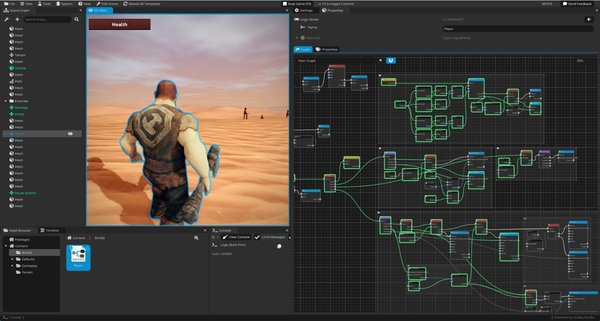
It lets you build real gameplay visually, by connecting nodes and execution flows in a way that will feel familiar if you come from Unreal Engine Blueprints, but with Cave's simpler, cleaner and faster iteration workflow.
Create Faster, Wait Less
With Logic Bricks, there is:
- No Code Compilation
- No Waiting
- No Interruption
- Instant Testing and Iteration
You create, connect, press play and test immediately.
Logic Bricks supports the core gameplay flow you expect from Cave:
- Start, Update, Late Update, Paused Update events and more.
- Custom Events: Allowing you to organize your code and also call them anywhere you want, including from other Bricks or via Python.
- Variables, conditions, loops, branches, functions
- Comments and Graph Organization
- Reusable Logic Graphs
- Full integration with Cave Gameplay Systems
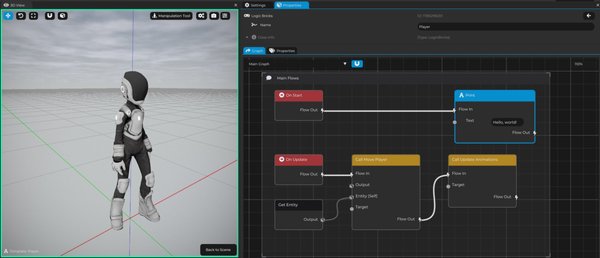
Full Engine Power, Visually
Logic Bricks is NOT a limited beginner tool: It has 1:1 parity with Cave's Python API, meaning every function, method and system available in Python is also available visually.
That means you can build complete games with Logic Bricks, from quick prototypes to commercial projects, without being forced to switch to code later.
And when code does make sense, both workflows work together:
- Call Logic Bricks from Python, or...
- Call Python from Logic Bricks
- Mix visual scripting and code in the same project!
Built in C++ for Performance
Under the hood, Logic Bricks is implemented entirely in C++ and does not run through a Python backend. That means that the graph execution is handled natively by Cave, designed to run as fast as possible. Cave also includes debugging, error handling and profiling tools to help you understand how your logic is running, find issues and optimize your gameplay.
Why This Matters?
Logic Bricks was made for indie developers, artists, designers and passionate creators who want to turn ideas into released games without fighting the engine.
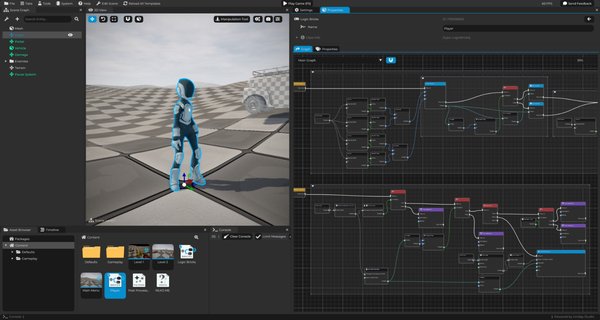
In short: Blueprint-style game creation, but lighter, simpler, faster to iterate. Beginner-friendly, and built for real games.
We Have More for 1.6!
Awesome, right? But that's not it!
Logic Bricks is the main highlight of Cave 1.6, but this release also brings several improvements across scripting, editor usability, asset importing, physics, UI, rendering and stability. So let's go through the rest of what is new.
Built-in Python Editor Got Better!
Python scripting also received a lot of love in Cave 1.6. Creating new scripts is smoother, syntax highlighting is more reliable, and the known cursor offset issue in the editor has been fixed.
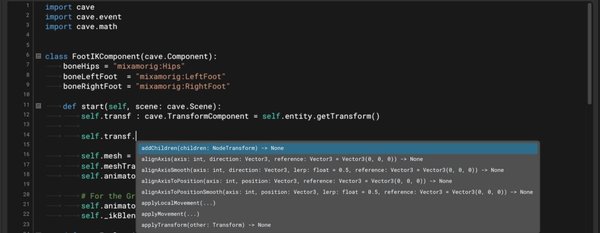
Most importantly, Cave now includes the first version of in-editor Cave API documentation and auto-completion. It is still under development and not as complete as external tools like VS Code, but it already makes writing local Python code inside the editor much more practical, without requiring you to leave Cave.
Changes:
- Cave API autocomplete system
- Cave API documentation integration when hovering Cave functions
- Fixed comment syntax highlighting
- Fixed cursor offset bug
Viewport Histogram Tool
When creating a game, you are not creating it only for your own monitor. Your players will experience your project across many different displays, brightness levels, contrast settings and color profiles, which makes visual consistency hard to judge by eye alone. That is why Cave 1.6 introduces the Viewport Histogram Tool.
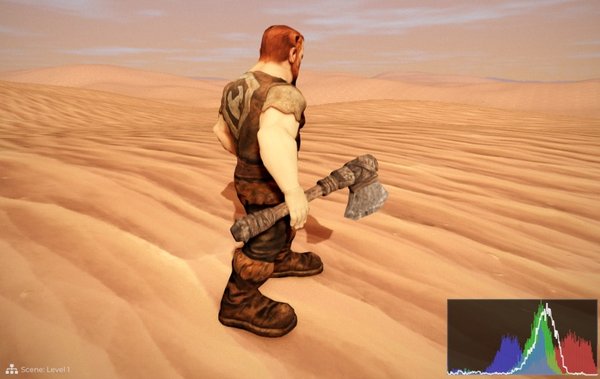
This tool shows a real-time color histogram of what is being rendered in the viewport, helping you make better decisions about brightness, contrast and color balance. Instead of relying only on how the game looks on your screen, you can now read accurate visual data from the frame itself.
It is a simple quality-of-life feature, but very useful when polishing the look of your game and making sure your visuals are easier to evaluate across different monitor setups. To find it, go to Viewport Settings > Rendering Debug... Show Histogram.
Better Editor User Experience (UX)
Cave 1.6 also improves several small but important parts of the editor experience. These are the kind of changes that make the engine feel smoother, clearer and easier to use every day.
In order to do this, we actually analyzed, including video recordings (sent under permission, of course), dozens of new users coming to Cave for the first time and exploring the software to see what are the places where they found the most difficult to come across. Then we made sure to fix everything, add more documentation, and make every path clearer. It improves the entry point for new users and also makes your day to day life much better if you're already using Cave.
Changes:
- More in-editor help information and documentation
- Improved property sliders and tooltips
- Tooltips now explain that you can use Ctrl + Click to edit values directly
- Better viewport camera information
- New shortcut: press Ctrl + T to quickly promote the selected Entity to a Template
- Much more!
Improved Asset Pipeline
Importing assets such as FBX and other supported formats should now feel more accurate and reliable. Several internal fixes were made to the import pipeline, and Cave now also includes an Import Scale option, allowing you to pre-scale imported entities during import.
Physics Improvements
Physics also received important API and workflow improvements in this release.
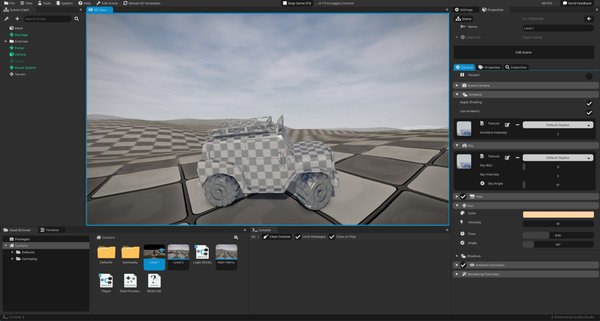
Changes:
- Exposed
PhysicsConstraintComponentvariables to the API - Added rigid body generation from Mesh Components
- Fixed Vehicle Physics "Transform Reset" bug
UI & Gameplay Systems
Cave 1.6 also improves gameplay-facing systems, especially UI interaction, Python behavior and input handling.
Changes:
UIElementComponentnow exposes methods to check if the user just pressed, hovered or released an element- Creating a new Python Script now opens the asset itself instead of only opening it in the Text Tab
- Better handling for persistent Python variables
- Fixed Mouselook DPI issue where Cave was not registering mouse movement correctly, especially with high-frequency mice
- Created more default classes for the UI Toolkit
Rendering & Stability
This release also includes several internal rendering, OpenGL, viewport, UI and stability fixes to make Cave more reliable across different projects and hardware.
Changes:
- Multiple UI, OpenGL, viewport and rendering fixes and improvements
- Fixed AMD depth testing failing with some AMD GPUs (known to: RX 7800 XT, RX 6800 and RX 5700 XT)
- Fixed crash when
Editor Settings.jsonwas corrupted - Fixed Crash Reporter crash
- Improved internal debugging and diagnostics to allow us to do even MORE fixes!