Pixu
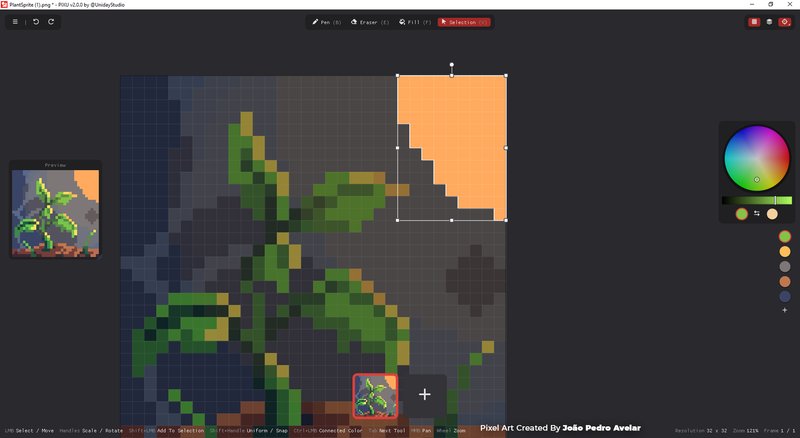
Pixu is a lightweight, focused pixel-art and animation editor for quickly creating 2D game assets. It's meant for you to quickly create 2D Game Assets such as Character, Sprite Sheets, Tiled Textures and more!
About This Game
PIXU is a tiny, pixel-art and animation editor for Windows. It is a focused pixel-art and animation editor for quickly creating 2D game assets.
It is made for turning ideas into pixels without setting up projects, arranging panels, or learning a complicated workflow. Open PIXU and start drawing: the canvas is ready, the tools stay close, and the interface gets out of your way.
PIXU 2.0 is a complete rewrite of the original app: faster, cleaner, and more reliable, while keeping the same simple idea: open and draw.
A Simpler Pixel Art Workflow
Draw, erase, fill, pick colors, make selections, and transform your work directly on the canvas. Floating controls appear when useful and leave the rest of the screen to your art.
PIXU includes:
- Pen, eraser, fill, color sampling, and reusable palettes
- Select: then Move, Scale, Rotate, Flip, Mask and clipboard support
- Adjustable brushes, opacity, blend modes, and optional anti-aliasing
- Grid, symmetry drawing, tiled preview (that's nice), undo, and redo
- Canvas resize and scale up to 128x128 pixels
- Frame Animation: add, reorder, copy, play, export
- Automatic recovery, so an interruption does not cost you your work
Shortcuts keep common actions immediate, making PIXU quick to learn and fast to use. It also features a rich Right Click Menu with all the options you need.
Built for Game Assets
PIXU is ideal for sprites, icons, tiles, characters, effects, and UI elements.
Create and reorder animation frames, preview motion as you work, and use onion skinning to guide each pose. Export PNG frames, sprite sheets, or animated GIFs. You can also import existing images, GIFs, and sprite sheets.
Whether you are polishing an asset, testing an idea, or working through a game jam, PIXU keeps the path from blank canvas to usable file short.
Focused by Design
There are no permanent sidebars around the canvas, no welcome flow, and no project setup. Tools stay immediate, documents stay small, and every frame shares the same resolution.
Open a file, make the change, export it, and move on.
You don't even need to save your progress: if you close Pixu for the day and come back tomorrow, you'll find everything exactly where you left.
What PIXU Is Not For
-
PIXU is not a replacement for Photoshop, Aseprite, or a full illustration suite.
-
It is not designed for large paintings, elaborate layer stacks, vector art, advanced compositing, or complex production pipelines. PIXU deliberately has no layers, and images are limited to 128x128 pixels.
If you need those systems, use a larger editor.
If you want a small Windows app that opens quickly and provides the essentials for tiny art and game assets, PIXU is made for you.
Open. Draw. Done!
More from Uniday Studio
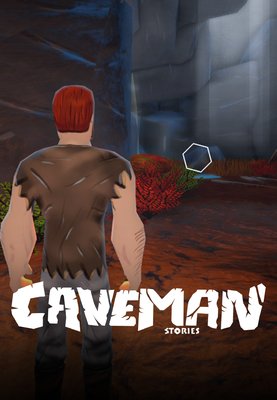
Caveman Stories
Unleash the primal power of the caveman in this action-packed adventure where you fight to survive against giant beasts, solve the mystery of the ice age and try to find your way back home. Build shelters to survive frosty nights, explore the wilderness and unravel the plot behind the extreme cold.

Tiniest2D - Game Engine
Tiniest2D Engine lets you build and ship 2D games fast with zero friction. One file, one executable, no pipelines. Just pure creation.

Stove
Stove is a lightweight 3D modeling and painting tool built for creating low-poly, stylized, and retro game assets. Model, paint, organize, and export your assets through a fast and focused workflow without the complexity of a traditional 3D suite.
The Engine That Listens
Developed by indies, for indies — with direct support from the creators.
Learn More
Comments
No comments yet
Be the first to share your thoughts!