
Tiniest2D is a lightweight 2D game engine created by Uniday Studio for developers who want to build and ship small 2D games quickly, without dealing with heavy pipelines, complex setup, or unnecessary engine bloat. The engine is designed around a fast, text-first workflow where your code, sprites, scenes, audio, and project data live together in a single file. When exported, the game becomes a standalone .exe, making Tiniest2D especially useful for small indie games, prototypes, jams, and focused 2D projects.
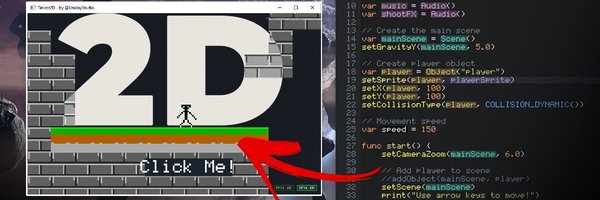
With version 1.6.1, Tiniest2D receives several quality-of-life improvements across scripting, editor usability, runtime behavior, sprite editing, documentation, and localization. This update is not about changing the core identity of the engine. Instead, it strengthens what Tiniest2D is already built for: fast iteration, simple workflows, and helping developers actually finish games.
Learn More about Tiniest2D
What’s New in Tiniest2D 1.6.1
New Script Features
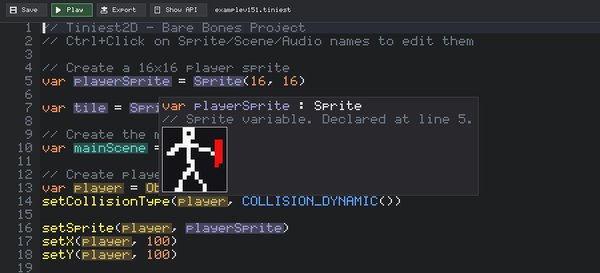
Tiniest2D 1.6.1 adds several useful scripting improvements:
- Added
strlen(...)function. - Added
quitGame()function. - Added save/load and other storage functions.
- Added get/set support for Window Mode.
- Added
continuesupport insideforloops.
These additions make the scripting language more practical for real game logic, especially when dealing with settings, save data, loops, UI behavior, and manual game exit handling.
Better Editor Workflow
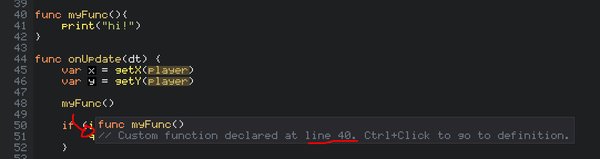
This update also improves the Tiniest2D editor experience:
- Ctrl + Click on a function or variable now jumps to its definition.
- Tab and Shift + Tab now control multiline indentation.
- New: Particle Effects when you delete characters in the Editor to add some juice! :)
- Added SFX feedback for Ctrl + C.
These changes make coding and editing inside Tiniest2D faster and more comfortable, especially for users working directly inside the built-in editor.
Sprite Editor Improvements
The Sprite Editor now includes a new Discretize Colors tool:
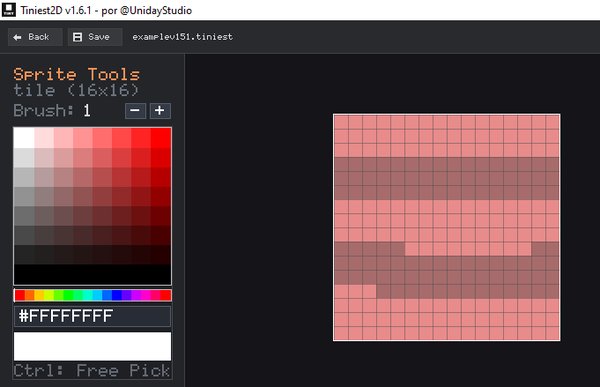
This can be especially useful for pixel art workflows, color cleanup, palette reduction, and stylized 2D graphics where controlling the final color set matters. If you want regular non discrete colors, simply hold ctrl to disable it while selecting the color.
Runtime Behavior Changes
- Pressing Esc no longer closes the game automatically.
This prevents accidental game exits and gives developers more control over how their games behave during runtime.
Localization and Documentaiton
Tiniest2D 1.6.1 also introduces important localization groundwork:
- Engine localization has been separated into its own system and will be available soon at Uniday Studio's Learn Quests.
- Portuguese localization work has started and it's already available (WIP).
- Improved the Tiniest2D Guide.
This is an important step toward making Tiniest2D more accessible to developers in different languages.
Final Thoughts
Tiniest2D 1.6.1 is a focused update that improves the engine in practical ways. The new scripting functions, better editor navigation, sprite tools, safer runtime behavior, and localization groundwork all help make Tiniest2D a more complete and comfortable engine for small 2D game development.
For developers looking for a simple 2D game engine with fast iteration, minimal setup, and a compact workflow, Tiniest2D continues to move in the right direction.