Cave: Game User Interface (Game UI) System
Cave: Game User Interface (Game UI) System
Quest Introduction
Learn how to create user interfaces in Cave Engine using the UI system. In this quest, you will explore the main components used to build menus, HUDs, and interactive elements, including positioning, anchoring, text, buttons, dynamic bars, and interface organization.
Prerequisites Required
Complete these quests before starting:
Cave: Getting Started Guide
Start learning Cave Engine from zero. This beginner-friendly text course will guide you through the editor, the basic workflow, and the main tools you need to understand before creating your own 3D games.
View QuestFollow this quest with a free account
Log in or sign up to subscribe, track lesson progress, and unlock more learning content.
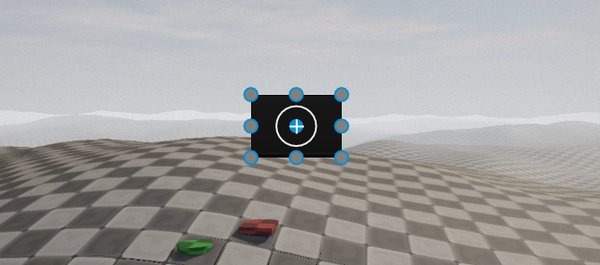
In this Quest, you will learn how to use Cave Engine’s User Interface system to create functional, organized, and interactive interfaces for your games.
Across the lessons, you will explore the main types of UI Elements available in Cave Engine, including default elements, text elements, buttons, and UI Toolkit components such as sliders, numeric inputs, and text inputs. You will understand what each element is used for and how they can be combined to build menus, HUDs, settings screens, panels, and other interface systems.
You will also learn how to position, resize, and scale interface elements using Cave Engine’s anchoring system, allowing your UI to behave correctly across different resolutions, window sizes, and aspect ratios.
Another important part of this Quest is learning how to structure interfaces using entity hierarchy. By using parent and child UI Elements, you will be able to organize menus and panels more efficiently, making it easier to move, resize, hide, and manage complete groups of interface elements.
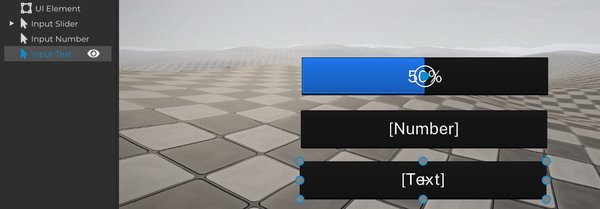
You will also see how to detect user interactions such as hovering and clicking, and how to use Callbacks to execute Python logic from UI events. This makes it possible to create interactive buttons, open menus, change UI states, trigger gameplay actions, and connect your interface to the rest of your game.
Finally, you will learn how to customize the visual appearance of your interface using UI Styles, including images, tint colors, transparency, blur, 9-Slice Scaling, and different visual states for normal, hover, and click interactions. You will also work with text elements, configuring fonts, colors, scale, spacing, alignment, and anchoring to create cleaner and more polished UI layouts.
By the end of this Quest, you will have a solid foundation for creating complete user interfaces inside Cave Engine, from simple HUD elements to interactive menus with organized hierarchy, responsive positioning, custom visuals, text, buttons, and user input.