Make 2D Games with Tiniest2D
Getting Started with Tiniest2D
Lesson 1 of 11 • 10 XP
Keep your place in this quest
Log in or sign up for free to subscribe, follow lesson progress, and access more learning content.
What is Tiniest Engine?
Tiniest Engine is a minimal 2D pixel-art game engine where the editor and the game are the same executable. Your entire project (code, images, scenes, audio) lives in a single file. When you export your game, it becomes a standalone .exe with everything embedded inside.
Key features:
- Single executable for both editing and playing
- Single project file containing all assets and code
- Built-in pixel art sprite editor with multi-frame animation support
- Visual scene editor with drag-and-drop
- Built-in tracker-style audio editor for SFX and music
- Immediate-mode game UI with a virtual screen-space resolution
- Simple scripting language for game logic
- AABB collision system with static, dynamic, and trigger objects
- No external dependencies required
For this Guide, we'll assume that you already own Tiniest2D.
There is also a Tutorial Video Available.
Getting Started
Creating a New Project
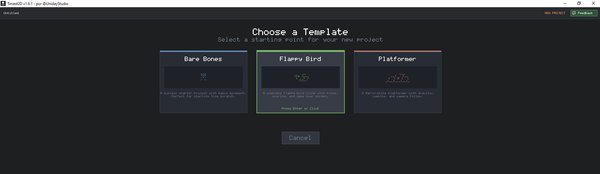
- Launch
TiniestEngine.exe - You'll see the startup screen with recent projects
- Press N to create a new project
- Choose a location and filename (e.g.,
MyGame.tep) - The script editor opens with an empty project
Opening an Existing Project
- Launch
TiniestEngine.exe - Use Up/Down arrows to select a recent project
- Press Enter to open it
- Or press O to browse for a project file